A complete walkthrough of the customer app and admin console — from onboarding to policy issuance — across Motor, Travel and Medical Malpractice insurance, illustrated with real product screens.
17 Sep 2026Published
Version 1.0Baselined
Srinivas RasojuAuthor
01 · Overview
One app, four insurance products
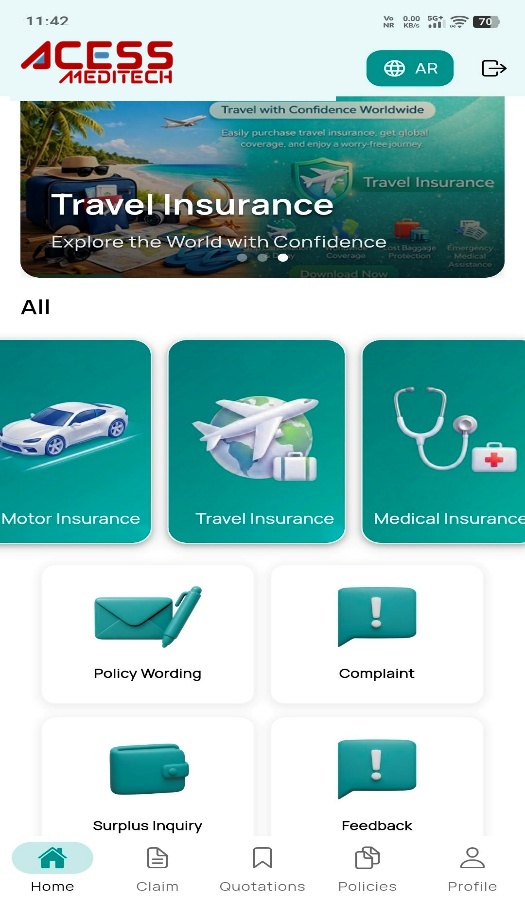
The purpose of this document is to give an overview of the new mobile app features. On entry, the app presents a home screen offering four insurance categories, each with a dedicated end-to-end purchase journey.
Motor Insurance
Financial protection against physical damage, bodily injury and liability from traffic incidents — covering property damage, medical expenses and theft.
Medical Malpractice
Professional liability cover for healthcare providers against claims of negligence, errors or omissions — including defence costs, settlements and judgements.
Travel Insurance
Coverage for trip cancellations, medical emergencies, lost luggage and travel delays — for domestic and international journeys, single or multi-trip.
Medical Insurance
Health coverage for doctor visits, hospital stays, prescriptions and preventive care, with configurable limits, deductibles and premiums.
Features Overview
Every capability, at a glance
The full feature set spans policy issuance, claims, onboarding, admin content management and customer engagement — across Motor, Travel, Medical Malpractice and Medical (Group/SME) insurance.
6Policy Management
5Claims & Servicing
2Onboarding & Security
4Admin & Content
3Engagement
2Integrations
Feature
Category
Description
Status
Motor Retail Policy
Policy Management
End-to-end Motor quote-to-issue journey with Yakeen, NAJM NCD/Accident and Saudi Post auto-fill.
Core
Travel Policy
Policy Management
Single-trip and multi-trip cover across four age bands and three destination zones.
Core
Medical Malpractice Policy
Policy Management
Risk-rated professional liability quoting by profession, hospital, limit and claims history.
Core
Medical Insurance (SME)
Policy Management
Sponsor-level group medical quoting with CCHI-compliant member roster and health declarations.
Core
After-Sales & Policy Servicing
Policy Management
Add a driver, transfer ownership, apply promo codes and manage add-ons after issuance.
Core
Visitor Extension
Policy Management
Extend visitor / short-stay medical cover directly from the app.
Core
General Claim Registration
Claims & Servicing
Register Own Damage and Third-Party Liability claims against a Motor policy.
Core
Medical Claim Registration
Claims & Servicing
Submit reimbursement claims with policy/member lookup, claim-type picker and document upload.
Core
Travel & Medmal Claim Registration
Claims & Servicing
File reimbursement claims for trip disruption or professional-liability incidents.
Core
Claims Tracking Dashboard
Claims & Servicing
Search and filter every claim by status and type, with reference number and live progress.
Core
Identity & Vehicle Verification
Onboarding & Security
Real-time Yakeen lookups for insured, vehicle and address, cross-checked with Saudi Post.
Core
OTP-Secured Login & Registration
Onboarding & Security
Mobile OTP verification for both new registrations and returning-user sign-in.
Core
Mobile App Admin Panel
Admin & Content
Web-based console for managing every screen the customer sees, without a release.
Core
Dynamic FAQ & Content Management
Admin & Content
Publish and edit FAQs, Articles, Pages (T&Cs, Privacy Policy) and Policy Wording on demand.
Core
Banner & Home Icon Management
Admin & Content
Configure homepage banners, hero section and shortcut icons with ordering and visibility.
Core
Payment & API Configuration
Admin & Content
Manage Mada/Visa gateway credentials and integration endpoints for Yakeen, NAJM and Saudi Post.
Core
Push Notifications
Engagement
Targeted in-app alerts for quote follow-ups, claim status changes and offers.
Core
SMS & Email Delivery
Engagement
Policy schedules, wording and certificates delivered automatically by the customer's preferred channel.
Core
Renewal Reminders
Engagement
Automated nudges ahead of policy expiry to reduce lapse rates.
Core
Payment Gateway Integrations
Integrations
Multi-gateway checkout support — PayFort, Checkout.com, HyperPay, SADAD, STC Pay and Apple Pay.
Core
Government & Verification Integrations
Integrations
Yakeen, WathQ, Saudi Post and Tahakuk services for identity, vehicle, address and document verification.
Core
02 · Admin Panel
A centralized console for every screen customers see
A web-based interface that lets authorized administrators manage app title, logo, images, content, footer, banners and product icons — without a release.
Hero Section
Manage the homepage's main visual section — background images, titles and promotional messages.
App Bar Branding
Configure branding elements in the app header, such as the logo and title.
Footer Management
Control the footer area — links and contact details shown across the app.
Banner Management
Create and update promotional banners with configurable visibility and target pages.
Home Icons Management
Customize shortcut icon labels, artwork, display order and linked pages.
Page Management
Create and manage dynamic pages such as Terms & Conditions and Privacy Policy.
Payment Configuration
Manage payment gateway credentials and settings for Mada / Visa processing.
API Configuration
Manage integration endpoints and base URLs for Yakeen, NAJM, Saudi Post and payment services.
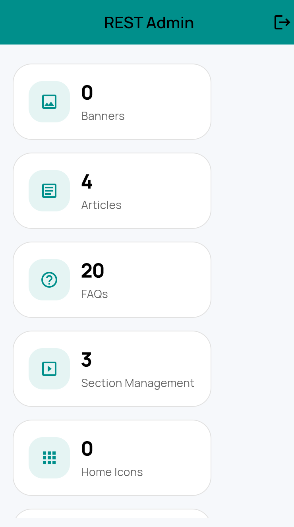
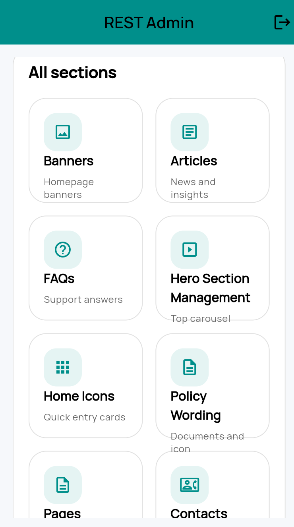
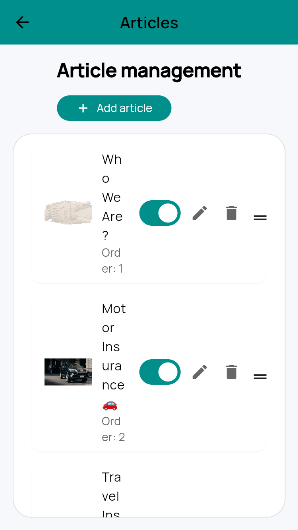
The REST Admin console itself — responsive from desktop to mobile — puts every content module one tap away, with live counts for what's published.
Admin dashboard
All sections
Article management
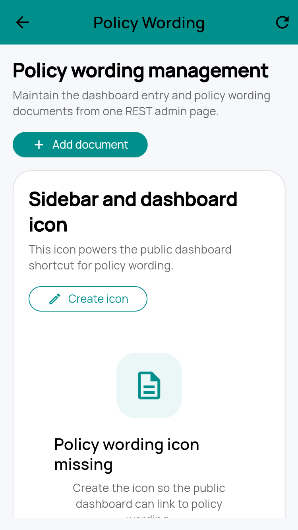
Policy wording management
03 · Landing Page
The first screen every customer sees
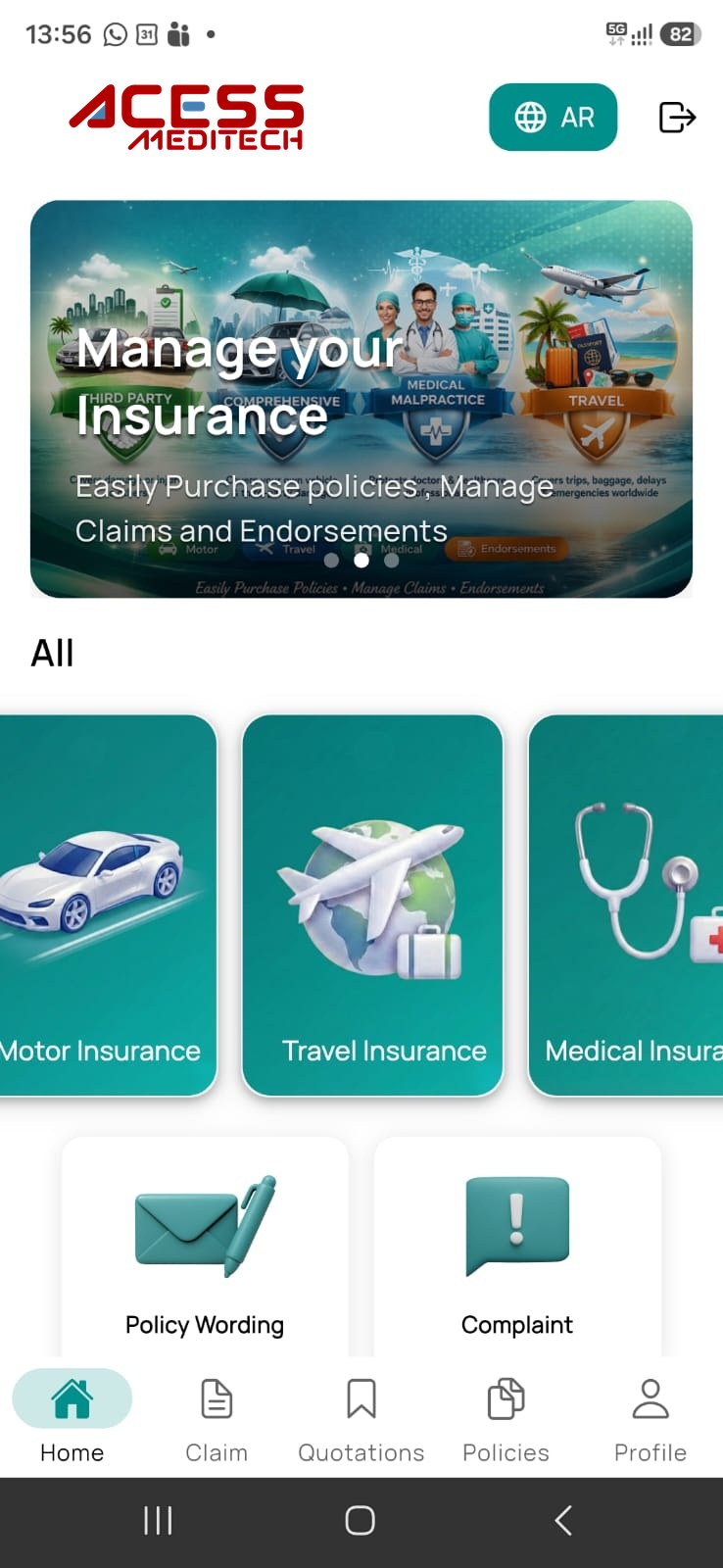
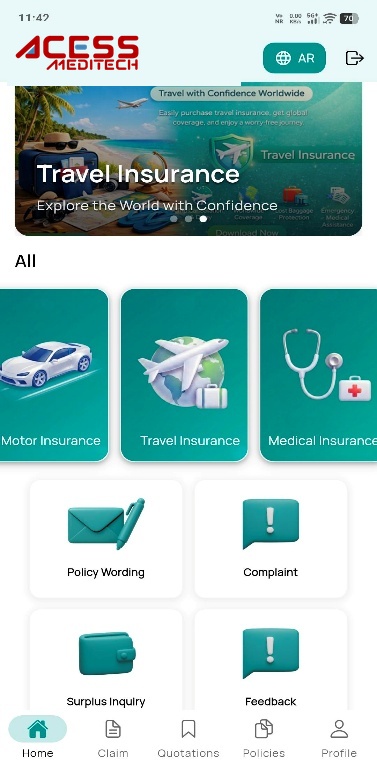
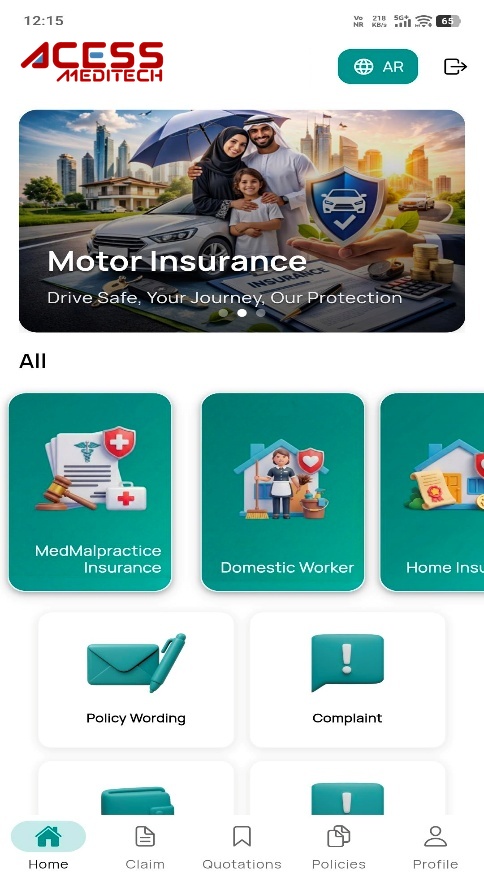
Once the app opens, the system navigates to the landing page shown alongside. From here, every core journey is one tap away.
Products — manage and configure the list of products offered within the application, including product details, categories and availability.
Menu — control the main navigation structure of the application and manage the items displayed in the app's menu.
Home — landing page that provides quick access to key features, dashboards and important updates.
Claim — submit new claims, track existing claims and view claim-related information.
Quotations — view, generate and manage quotation requests for various products.
Policies — view active and expired policies, manage policy details and access related documents.
Profile — manage personal information, account settings and preferences.
04 · Login & Registration
Verified onboarding in under a minute
Identity is confirmed through Yakeen and mobile verification services, with OTP confirmation before any customer reaches the dashboard.
1
Choose to sign in
Selecting any option on the landing page moves the user directly to the Login page.
2
Register a new account
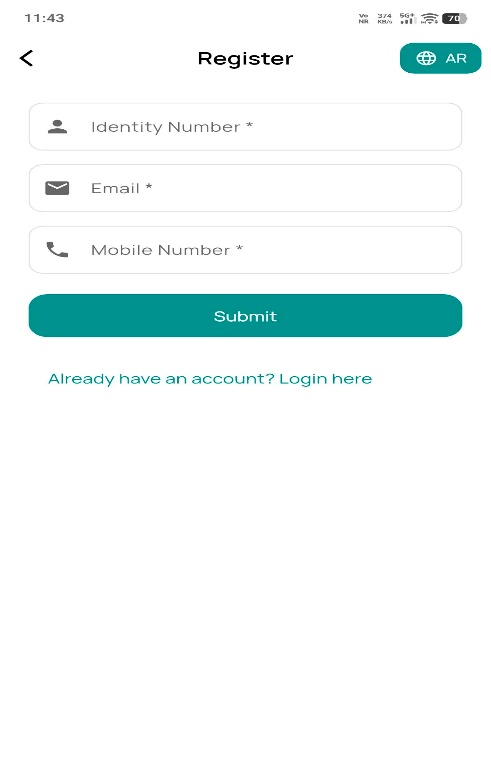
New users tap Don't have an Account? Register Here, then provide Insured ID, Date of Birth, mobile number and email. Citizens enter DOB in Hijri format; residents use Gregorian format.
3
Verify identity & OTP
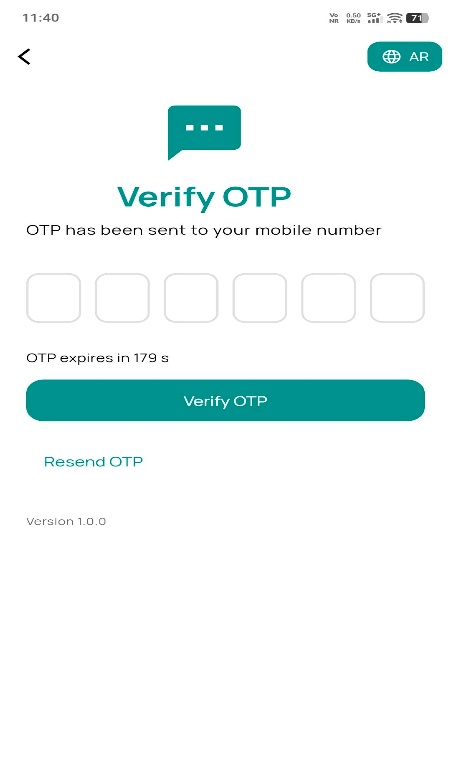
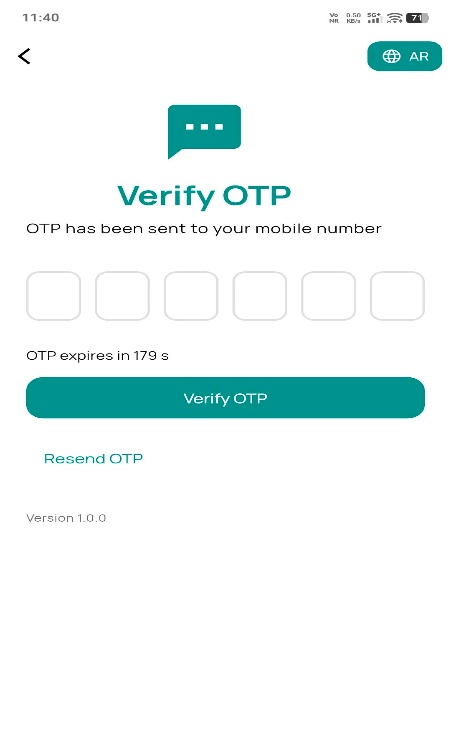
Insured details are verified via the Yakeen service and the mobile number via Mobile Verification. An OTP is then sent to the customer's registered mobile number.
Yakeen verificationMobile OTP
4
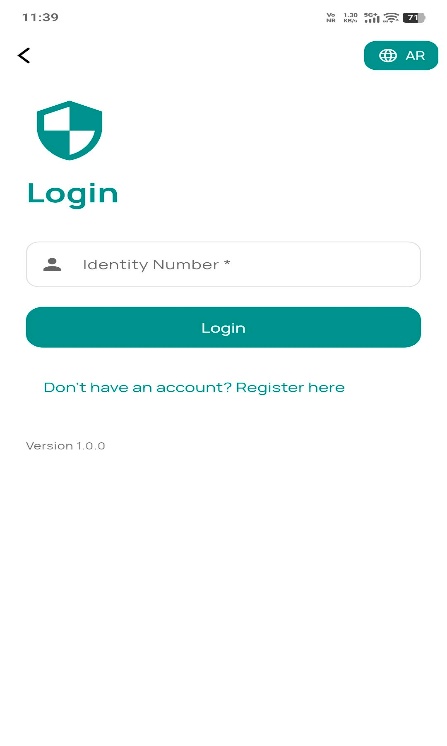
Returning customer login
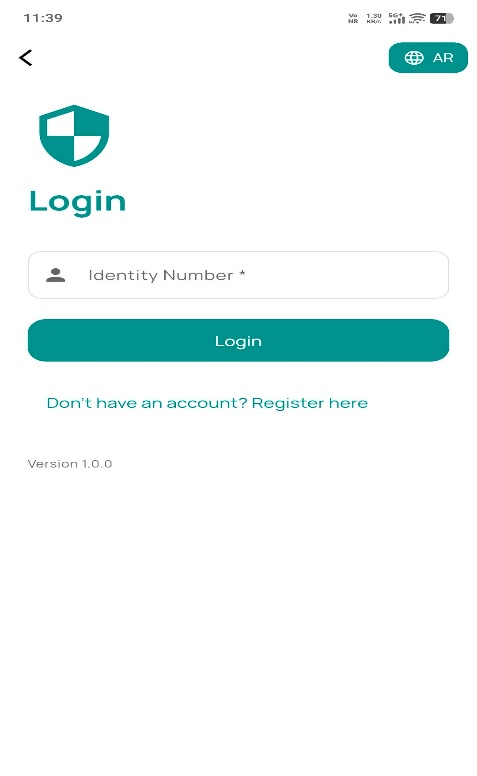
Existing users enter their Identity Number. If no account exists, the system shows a notification popup; otherwise, an OTP is generated and sent for verification.
5
OTP confirmation → dashboard
Once the OTP is verified, the system navigates to the dashboard where the user can select Add New Policy → Buy Now for any product.
05 · Motor Insurance
Buy a motor policy end-to-end, online
The mobile app pulls vehicle and address data automatically, checks live discount and accident services, then takes the customer straight to payment.
Fetch details
Insured & vehicle info via Yakeen; address via Saudi Post.
Complete info
Customer supplies any remaining required data.
Check discounts
NAJM NCD service, then NAJM Accidental service for loadings.
Show premium
Premium plus loyalty discount for Comprehensive or TPL.
Add options
Add a driver, transfer ownership, or apply a promo code.
Pay & issue
VISA / SADAD payment via IBAN; policy emailed on success.
Scheme Discount
Applied automatically on occasions like Foundation Day or National Days — no promo code needed.
User Discount
Available based on user-specific eligibility criteria.
Promo Discount
Additional savings applied via promotional codes.
1
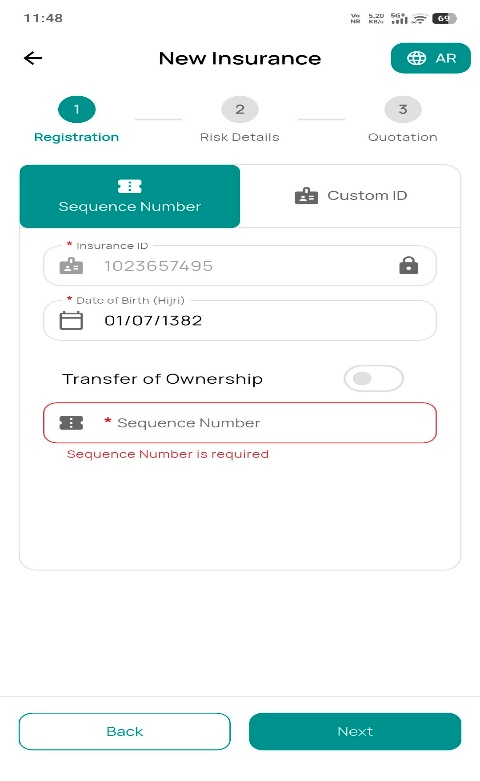
Motor quotation form
Selecting the Motor product from the dashboard opens the vehicle information screen, capturing the Sequence Number (permanent registration) and Custom Number (temporary registration).
2
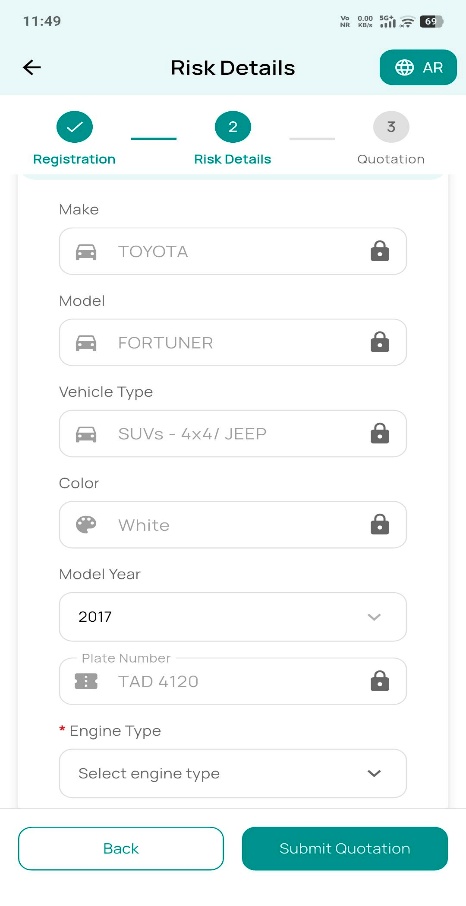
Vehicle information
After proceeding, the system connects to five services to auto-fill the record before moving to Risk Details.
YAKEEN Insured Info Service
YAKEEN Vehicle Info Service
Saudi Post Service (address)
NCD Service (claim-free years)
NAJM Accident Service
3
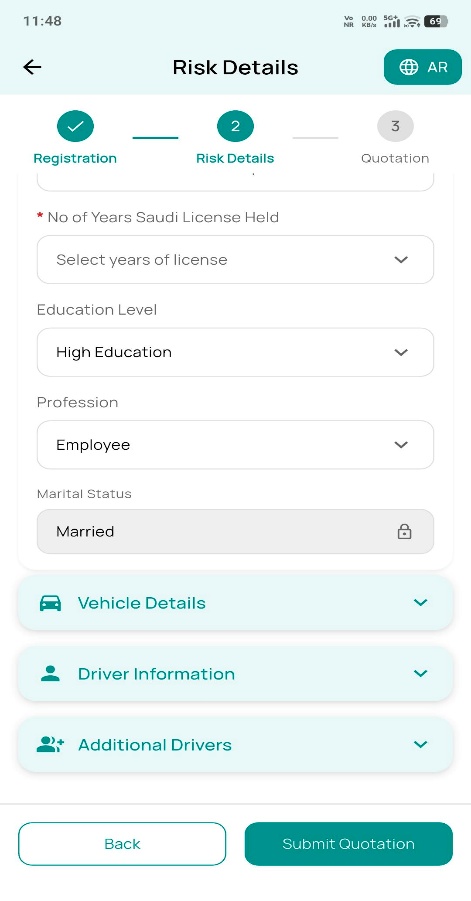
Risk details
Mandatory inputs used to calculate the premium accurately:
Sum Insured
Deductible
Repair Type
Parking Place
License Experience
Marital Status
4
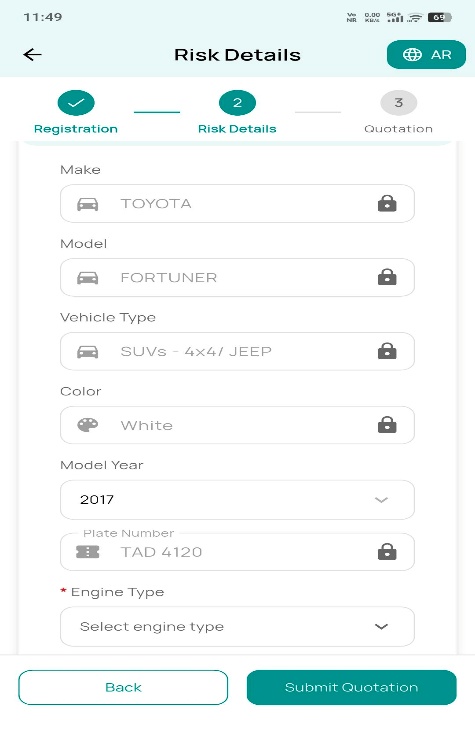
Vehicle details
Review the vehicle information received from the service, with the ability to fill in any missing mandatory fields.
5
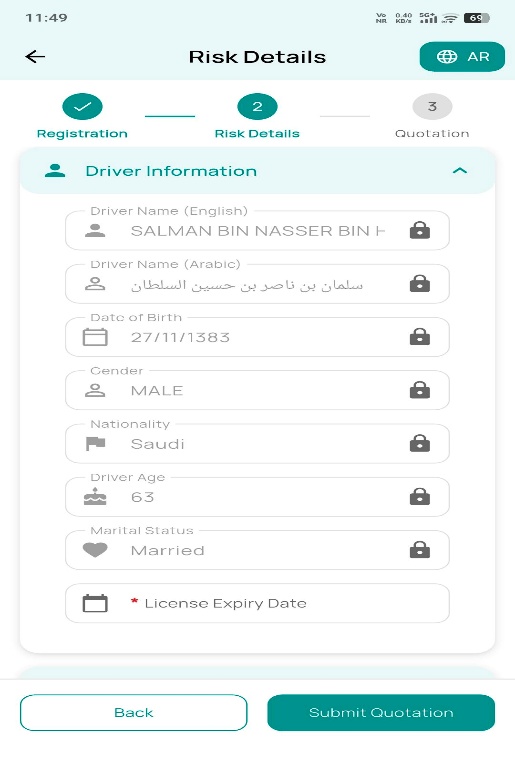
Driver information
View driver details for the main driver (insured), fetched automatically from the connected services.
6
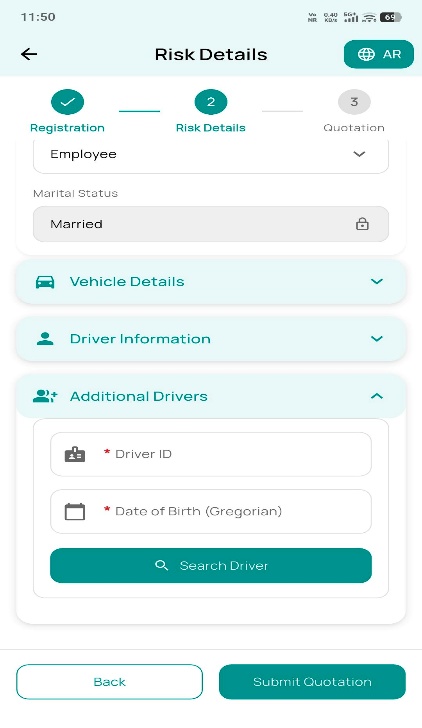
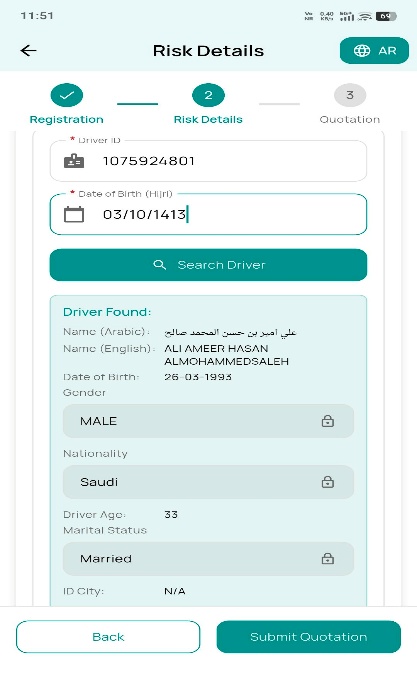
Add an additional driver
Provide a Driver ID and Date of Birth to fetch details from the service; once fetched, the record binds to the drivers grid. Submitting all mandatory fields adds the driver and calculates the premium.
7
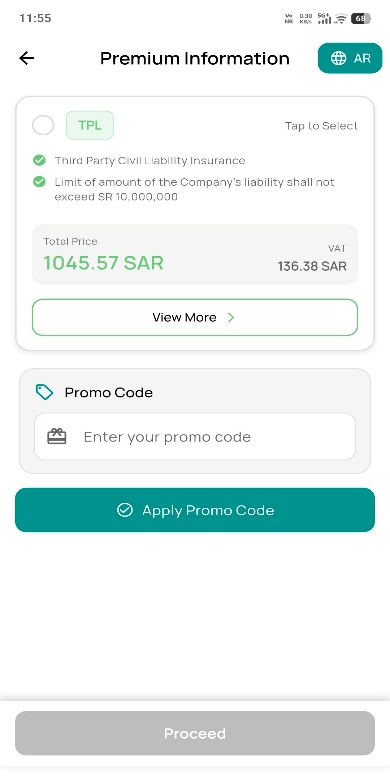
Premium details
Displays the calculated premium plus optional add-ons for Third-Party Liability (TPL) cover.
Roadside AssistancePersonal Accident Coverage
8
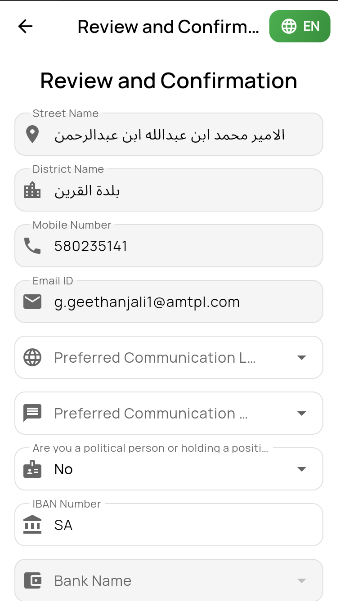
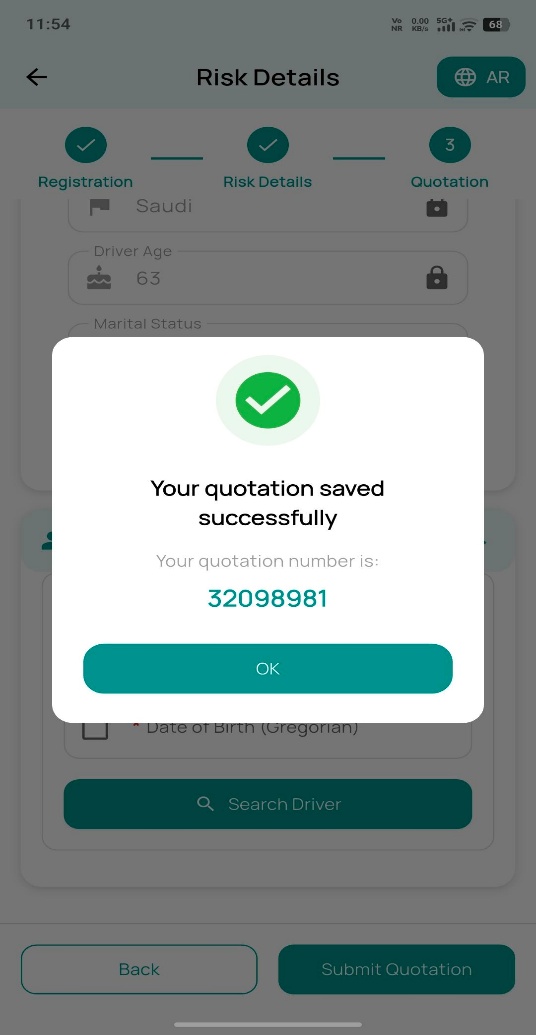
Review & confirmation
Before submitting the quotation, the customer confirms:
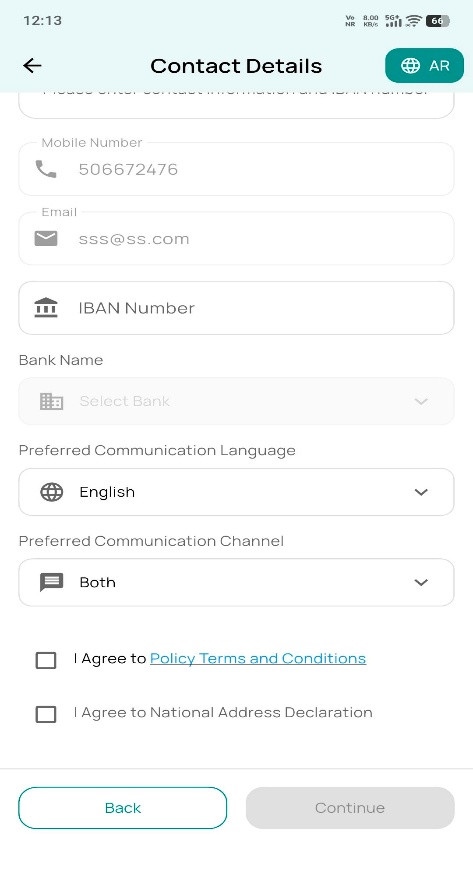
IBAN Number for payment
Preferred communication channel
Preferred communication language
9
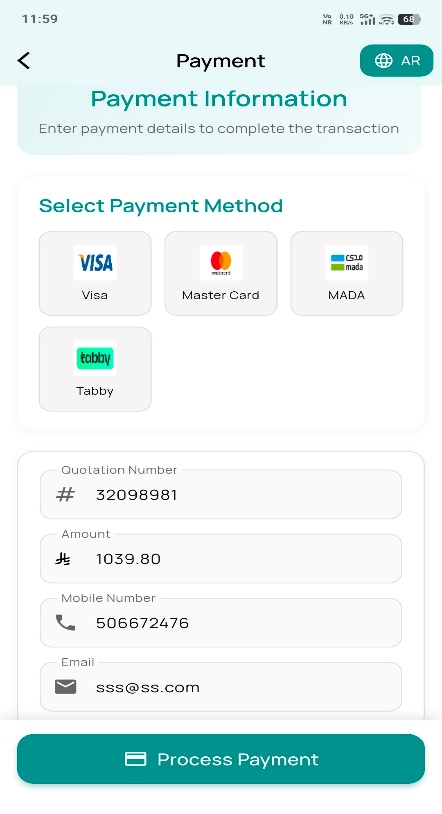
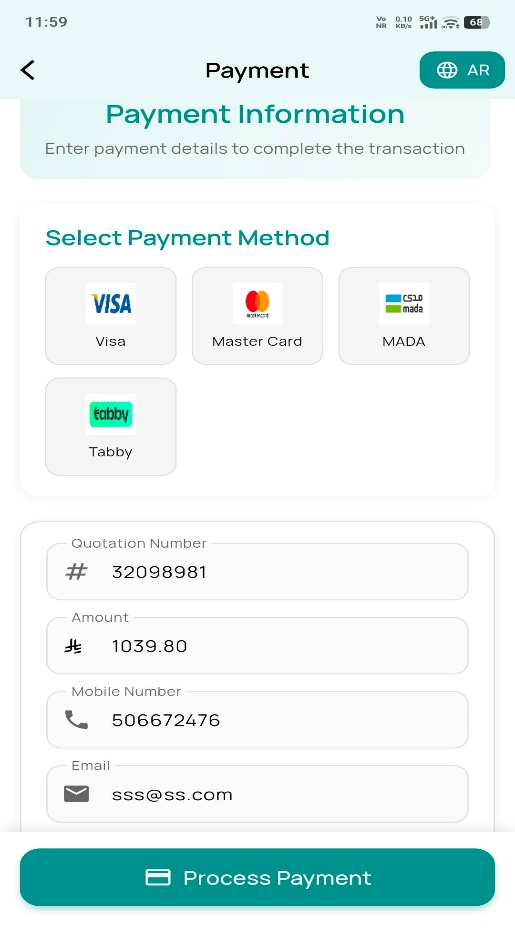
Secure payment
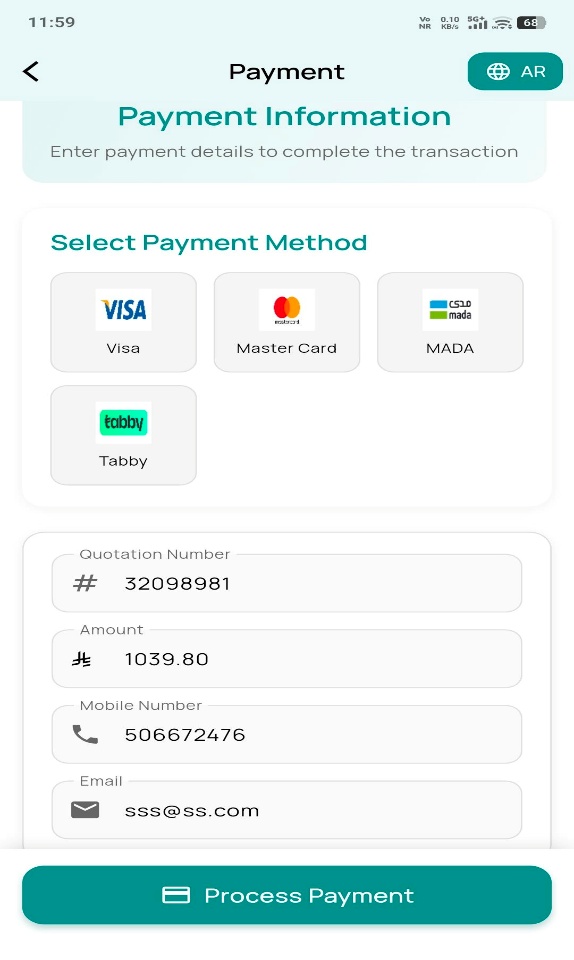
Choose Mada or Visa, accept the terms and conditions, then complete payment on the gateway with card details.
10
Instant policy issuance
On confirmed payment, the quotation converts automatically to a policy, and the schedule, wording and certificate are delivered by email or SMS per the customer's preference.
06 · Travel Insurance
Coverage that adapts to the trip
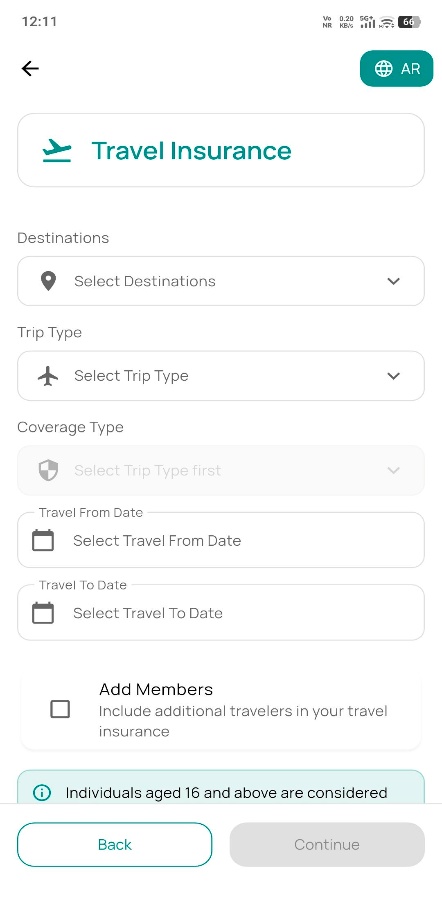
Destination, trip type and traveler ages shape the coverage automatically — from single trips to multi-trip annual cover.
Destinations
Trip Type
Coverage Type
Travel Dates
Travelers by Age Band
1
Risk details
Selecting Travel > Buy opens the risk details screen, where age bands determine eligible cover: Adult (16–70), Children (3 months–16), 70+ (71–75) and 76+ (76–79).
2
Destination details
Destination options include World Wide, World Wide Excluding USA & Canada, and Schengen; trip type is Single Trip or Multi Trip.
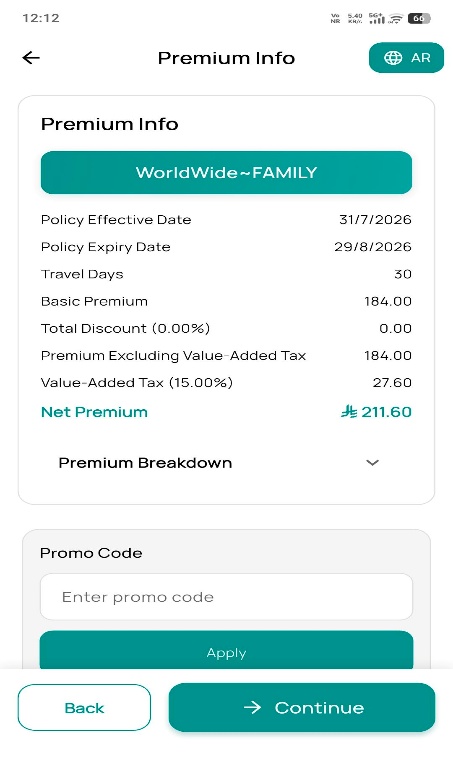
3
Premium details
The system displays premium and coverage details based on the selected destination and trip information.
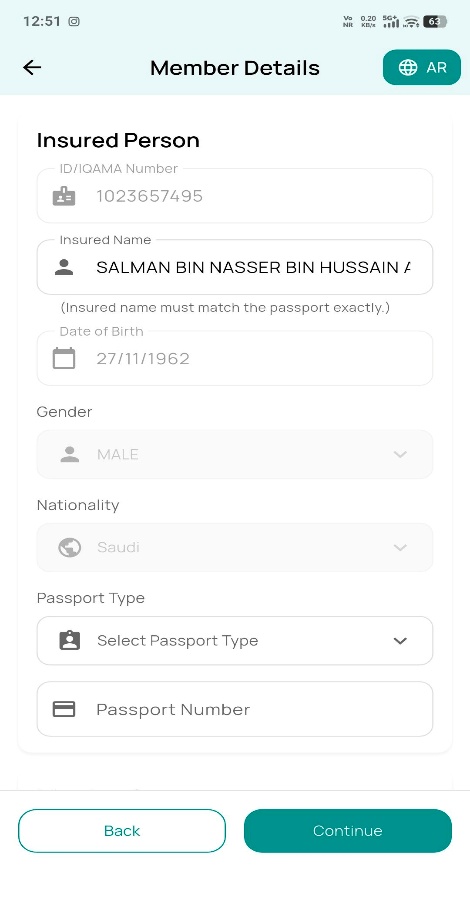
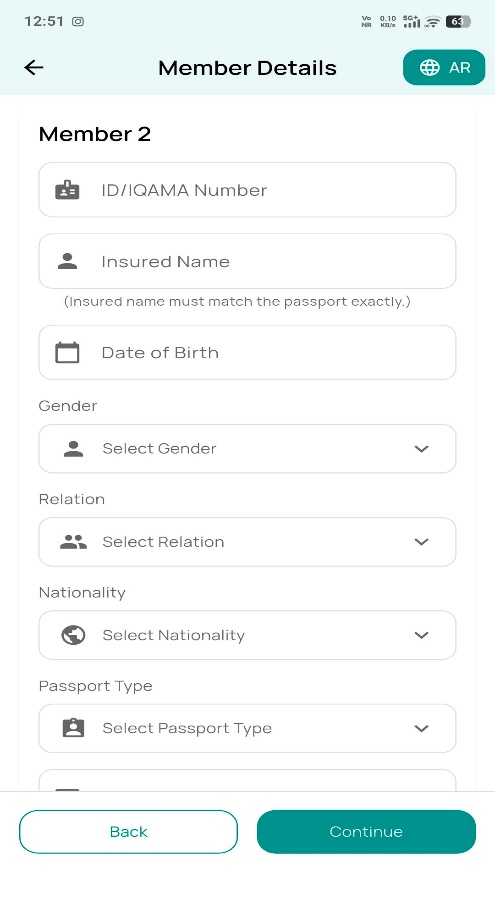
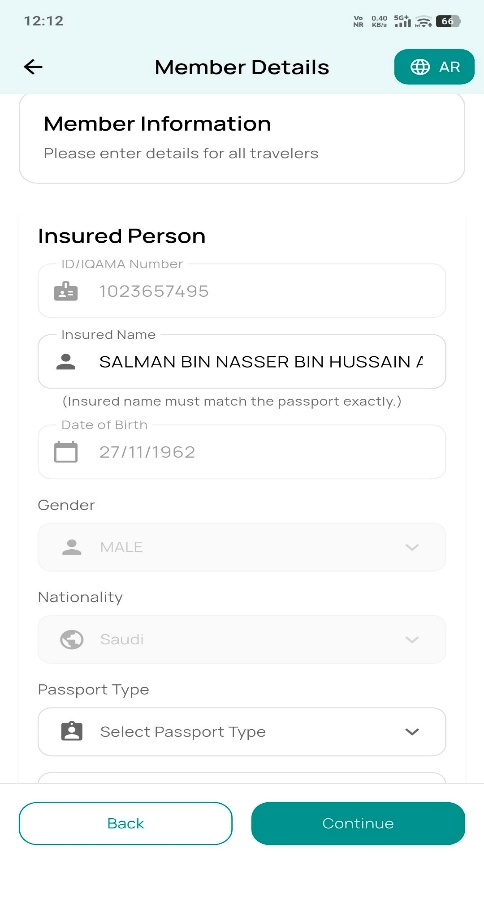
4
Insured & member info
Insured ID and DOB connect to Yakeen for verification; member details for dependents are entered manually — name, age and related data.
5
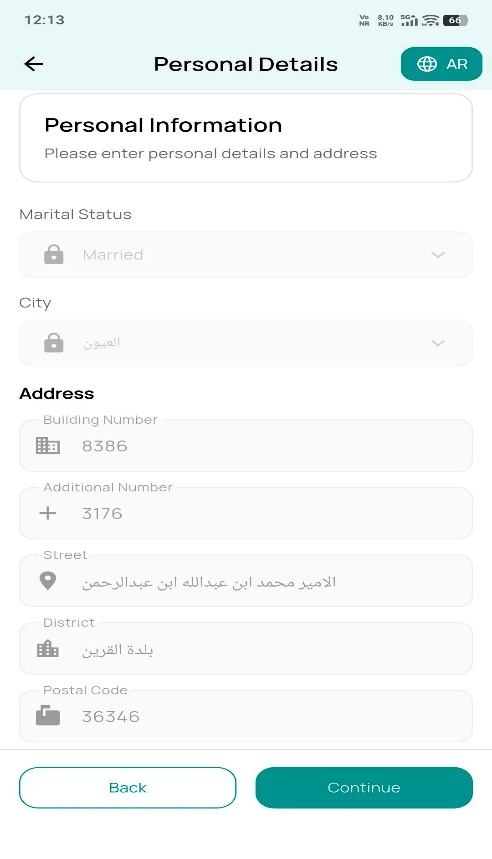
Personal details
Verify insured details and provide Place of Birth and vaccination status before proceeding.
6
Review & confirmation
Confirm IBAN Number, preferred communication channel and language before submitting the quotation.
7
Payment & policy delivery
Pay via Mada or Visa; once confirmed, the quotation converts to a policy and documents are sent by the preferred channel.
07 · Medical Malpractice
Professional liability, tailored by risk profile
Coverage terms are shaped by profession, hospital, liability limit and prior claims history.
Period
Hospital
Profession
Limit of Liability
Retroactive Date
Deductible
Claim History
1
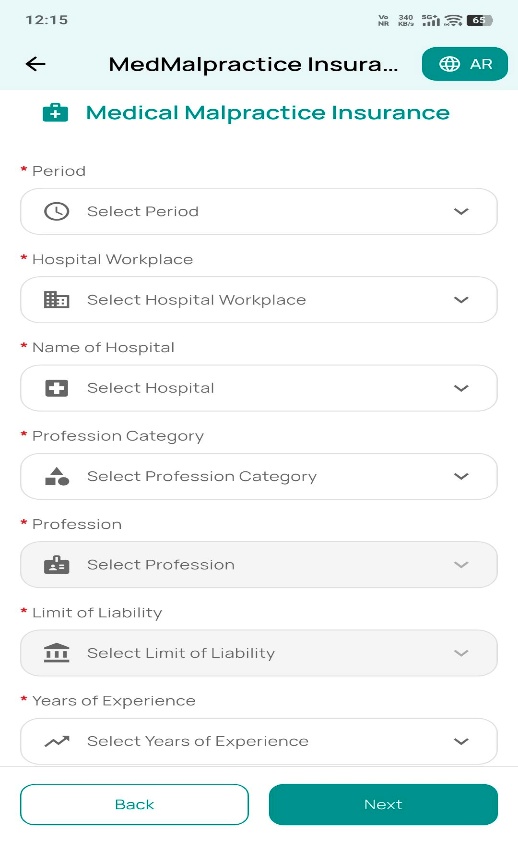
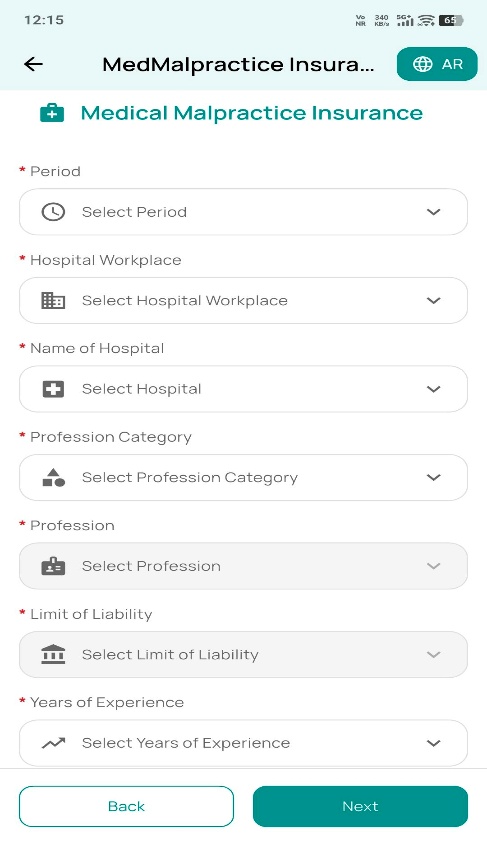
Start a Medical Malpractice quote
Selecting Buy opens the risk details screen. If the applicant reports prior claims, the app requests claim details, number of claims and total claims amount.
2
Risk details
Once all mandatory fields are selected, proceeding calculates the premium from the chosen rating factors.
3
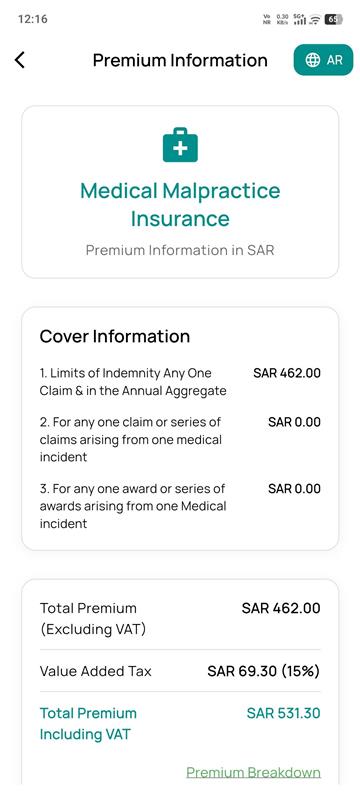
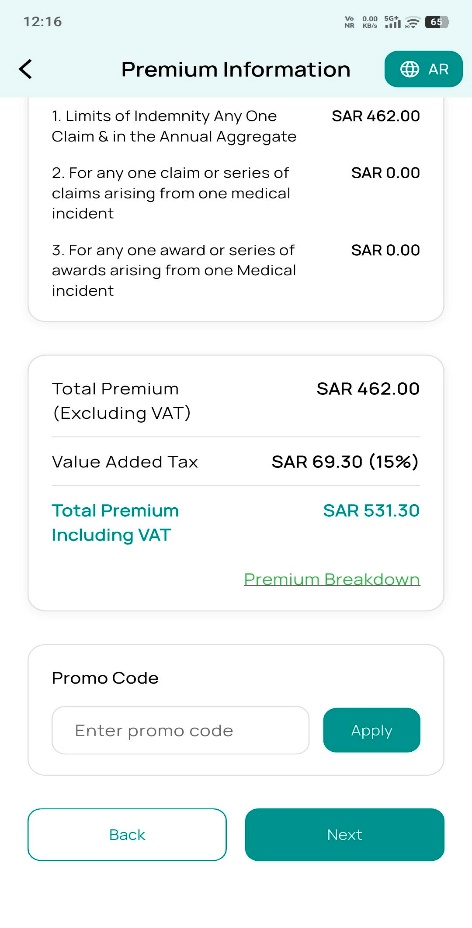
Premium & coverage breakdown
Displays coverages and a detailed premium breakdown before continuing to insured information sourced from Yakeen and Saudi Post.
4
Address & insured details
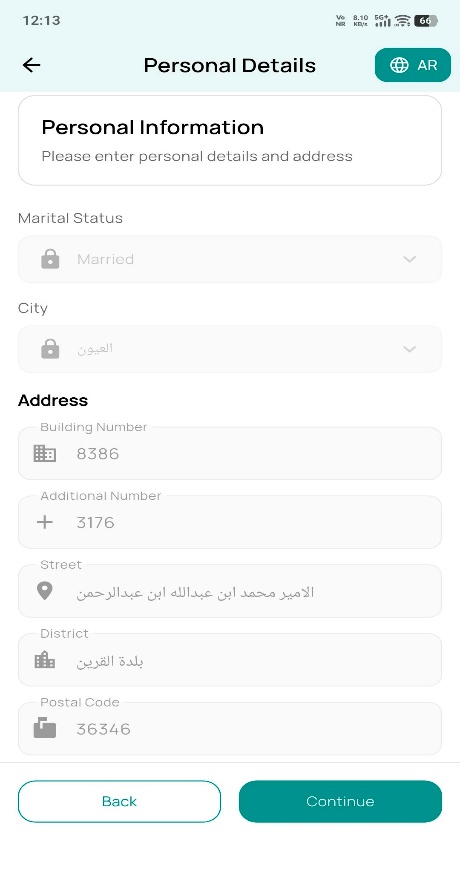
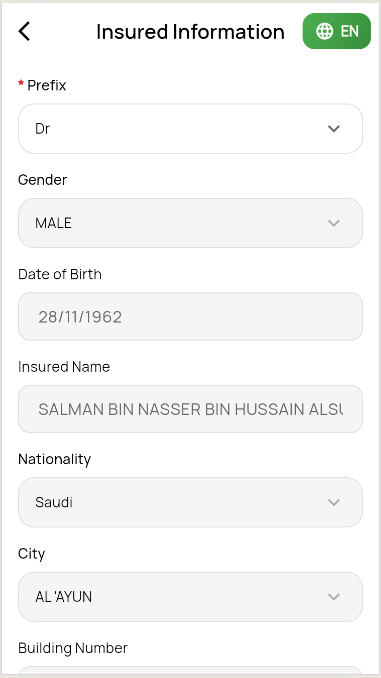
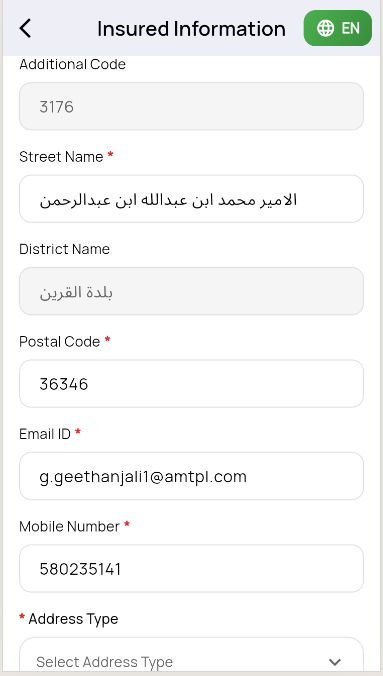
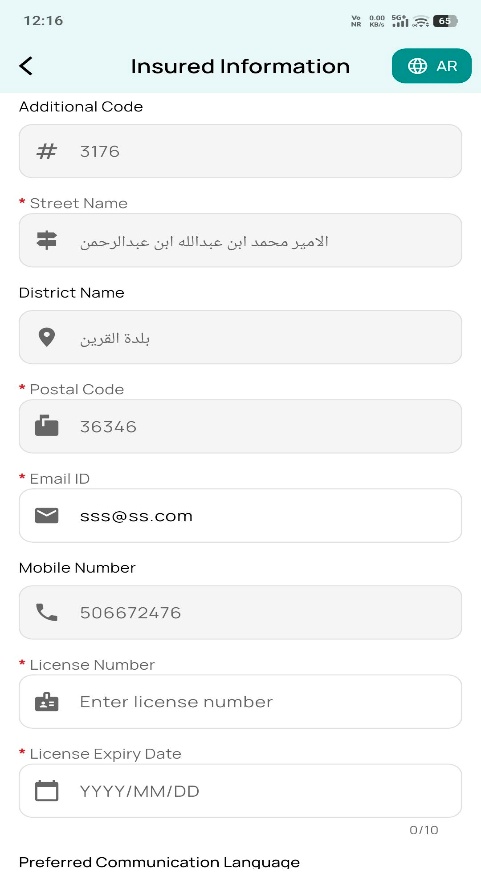
Insured and address details bind automatically from Yakeen Insured Info: City, Building Number, Additional Code, Street Name, District Name and Postal Code.
5
Communication preferences
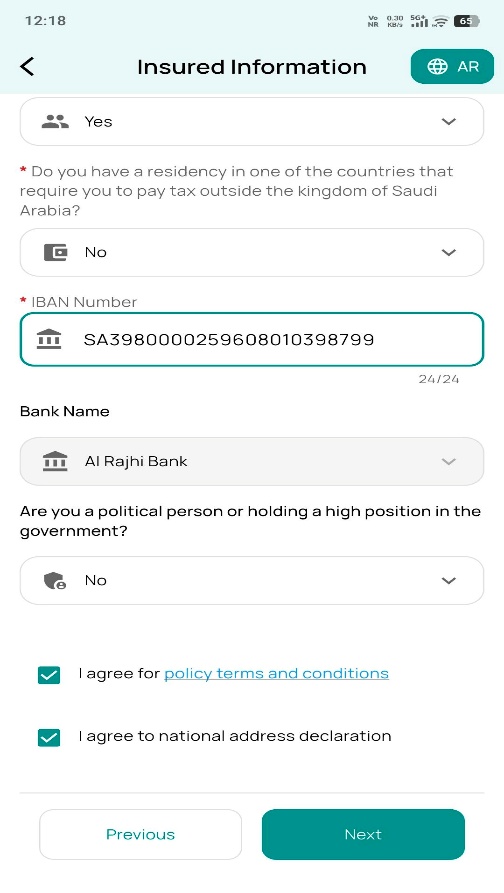
Confirm IBAN Number, preferred communication channel and preferred communication language ahead of final review.
6
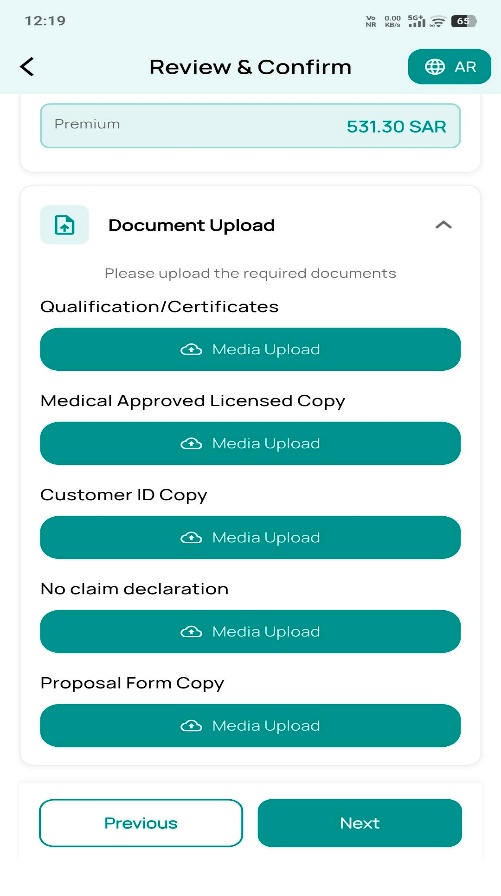
Review, confirmation & documents
Upload the mandatory supporting documents before submitting the quotation:
Qualification / Certificates
Medical Approved Licence copy
Insured ID copy
Proposal form copy
7
Quotation submit & payment
Choose Mada or Visa, accept the terms, and complete the payment gateway. On confirmation, the quotation converts to a policy and documents are delivered by the preferred channel.
08 · Medical Insurance
Group medical cover, quoted for the whole company
Medical Insurance is sold at the sponsor (employer) level — the app collects company KYC, builds the member roster, captures health declarations and issues one consolidated policy.
Sponsor & Policy Dates
Company / CCHI Details
Member Roster
Health Declarations
KYC & AML
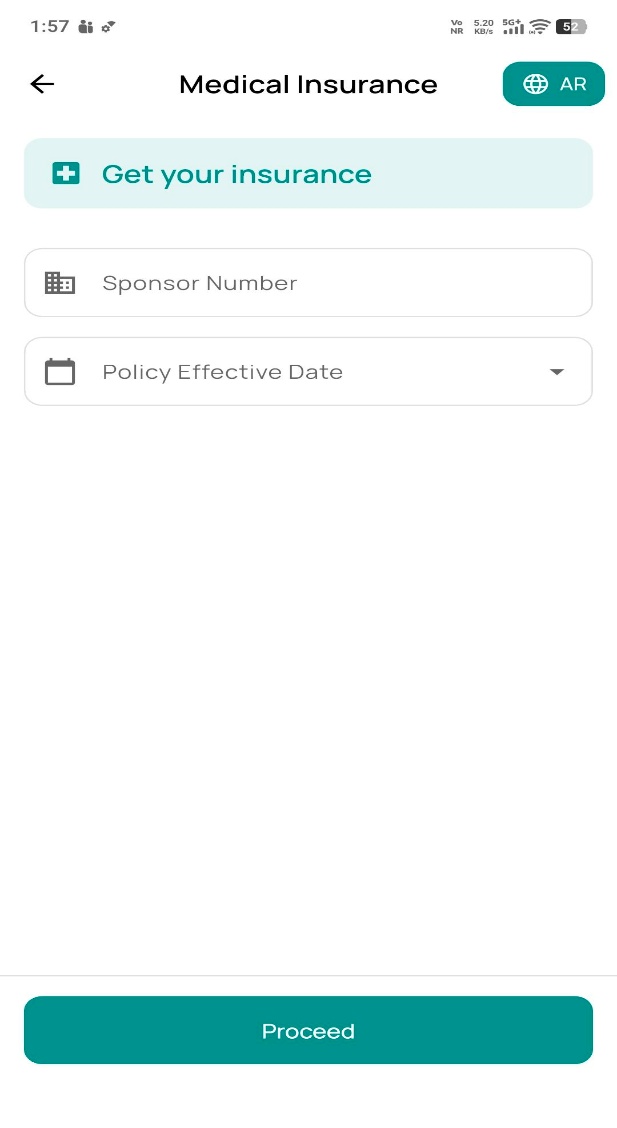
1
Get your insurance
The sponsor (company) starts a quote with a Sponsor Number and the desired Policy Effective Date.
2
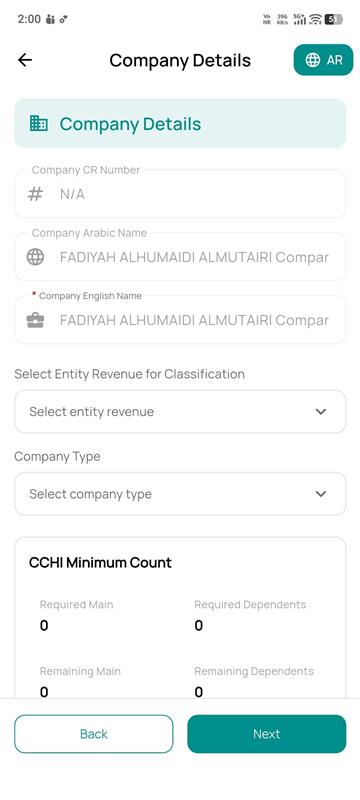
Company details
Company CR Number, Arabic and English company name, entity revenue classification and company type, plus a live CCHI minimum count of required vs. remaining main members and dependents.
3
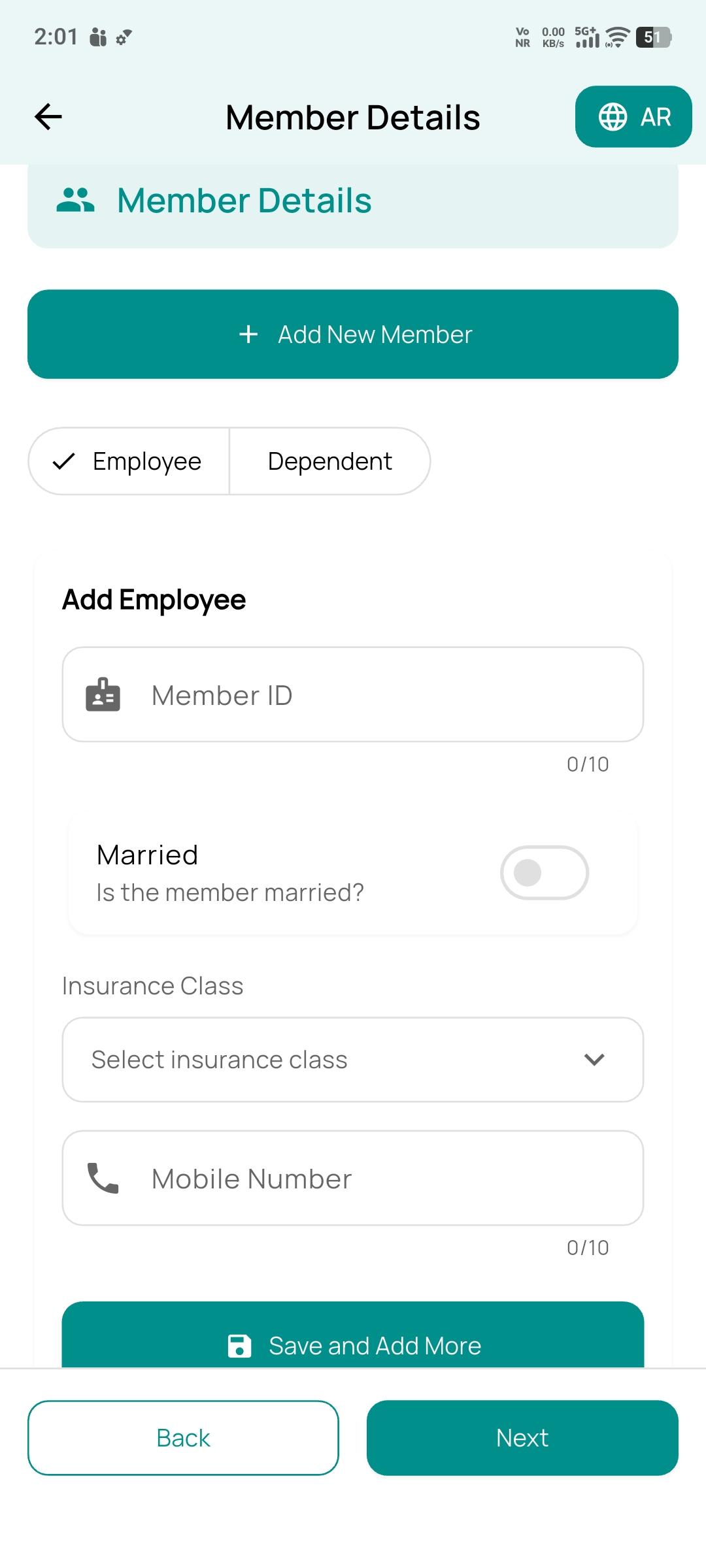
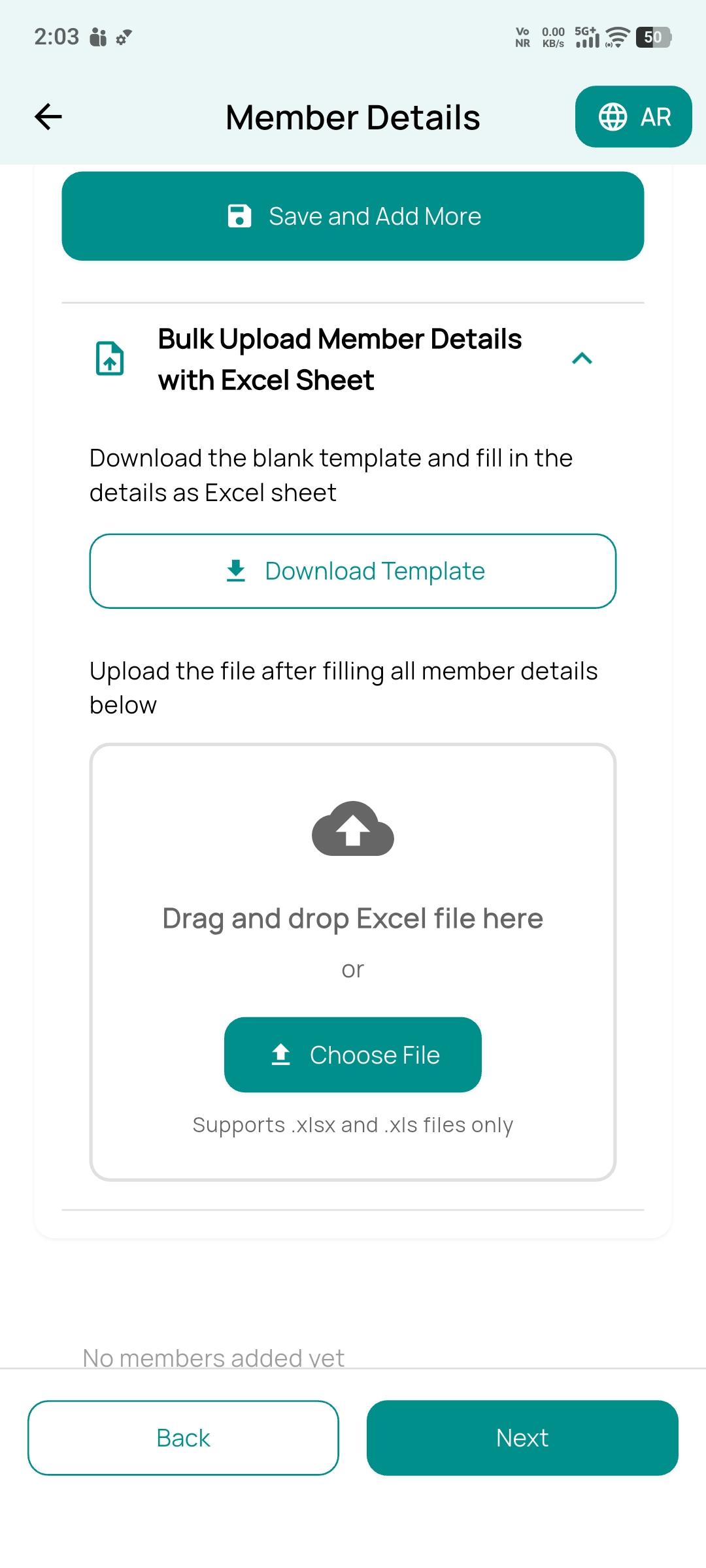
Build the member roster
Add employees and dependents one at a time — Member ID, marital status, insurance class and mobile number — or bulk-load the whole roster from a downloadable Excel template.
Add member manuallyBulk Excel upload
4
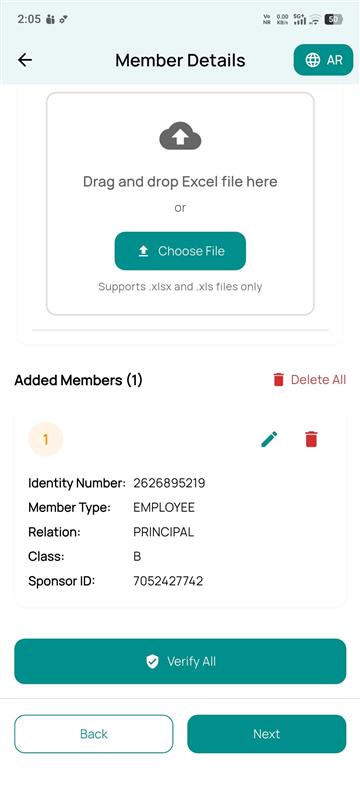
Verify the roster
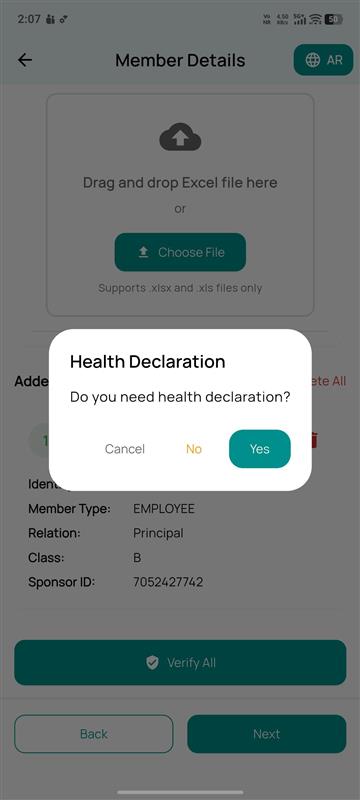
Every added member appears in a review list with Identity Number, Member Type, Relation, Class and Sponsor ID, with edit/delete per row and a one-tap Verify All action.
5
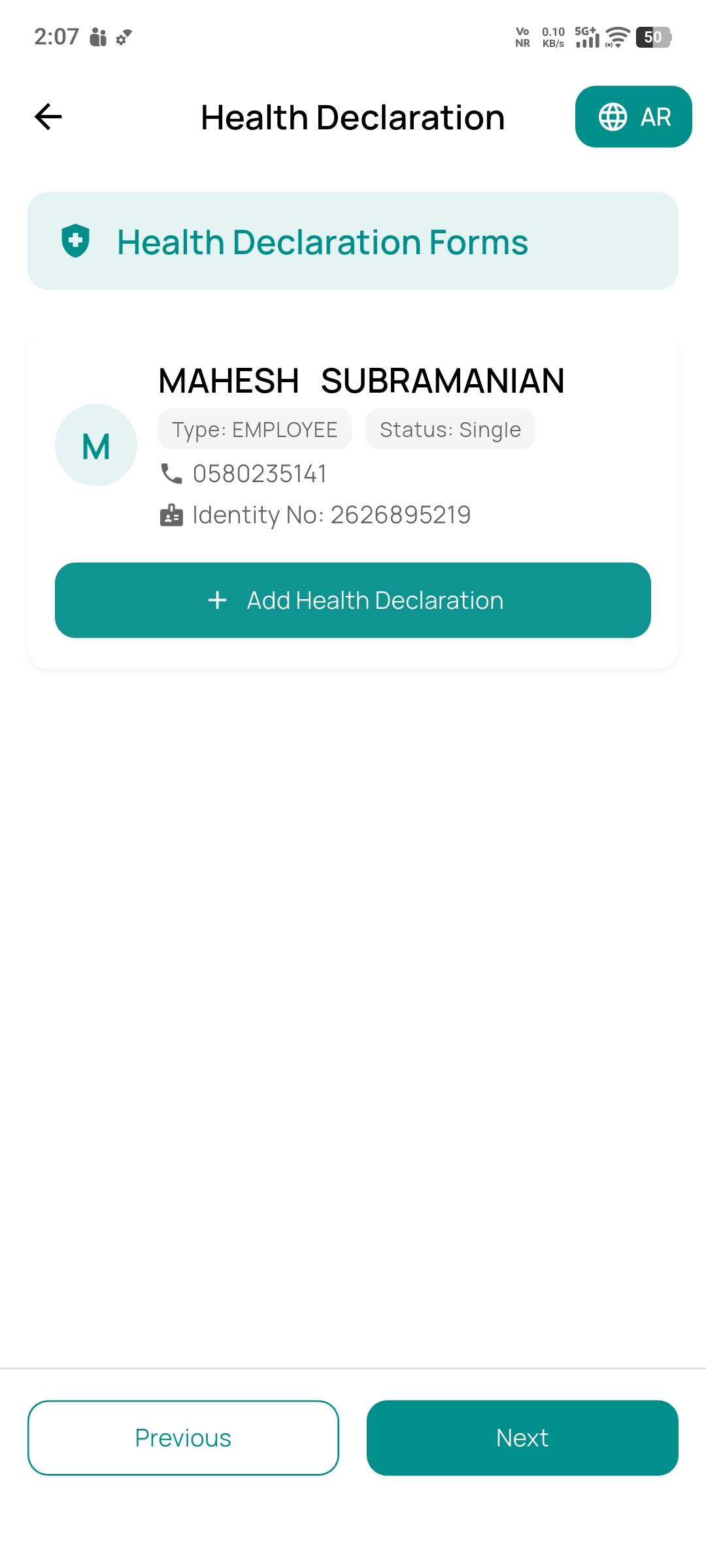
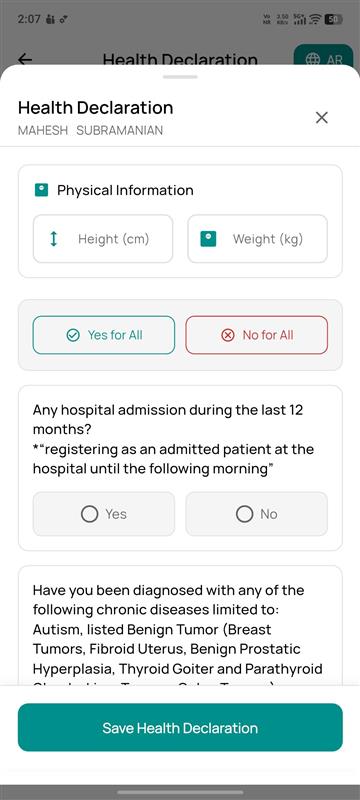
Health declarations
The app asks whether a health declaration is required, then lists every member for form completion — capturing height, weight, recent hospital admissions and chronic-condition history, with a Yes/No-for-All shortcut for the whole group.
6
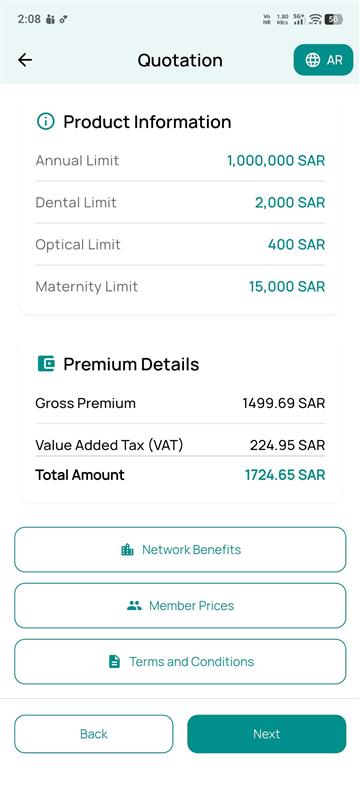
Quotation details
Displays Annual, Dental, Optical and Maternity limits alongside Gross Premium, VAT and Total Amount, with quick links to Network Benefits, Member Prices and Terms & Conditions.
7
Update KYC & pay
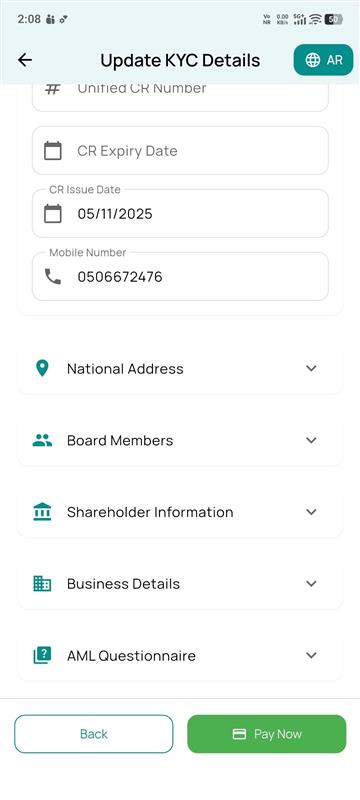
Sponsor ID, Sponsor Name, Unified CR Number, CR issue/expiry dates and mobile number are pre-filled; the sponsor completes National Address, Board Members, Shareholder Information, Business Details and an AML Questionnaire before paying.
09 · Claims & Reimbursement
File a claim and get reimbursed, from the same app
One claims workspace covers every product line — customers track existing claims and register new reimbursement requests without calling in.
Medical Reimbursement
Travel
Medmal
Own Damage (OD)
Third Party Liability (TP)
1
Claims dashboard
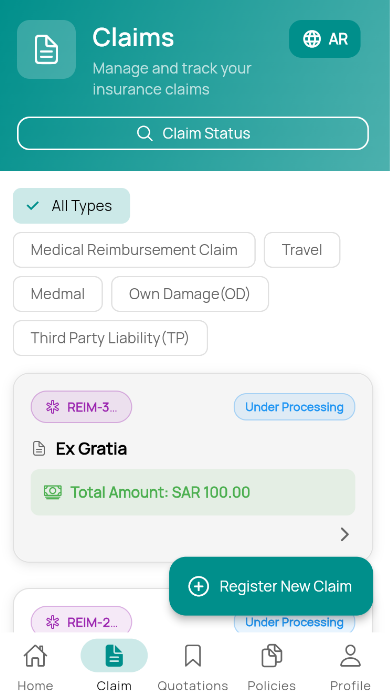
Search by claim status or filter by type across every product. Each claim card shows its reference number, description and live status (e.g. Under Processing) with the paid or claimed amount.
2
Register a new claim
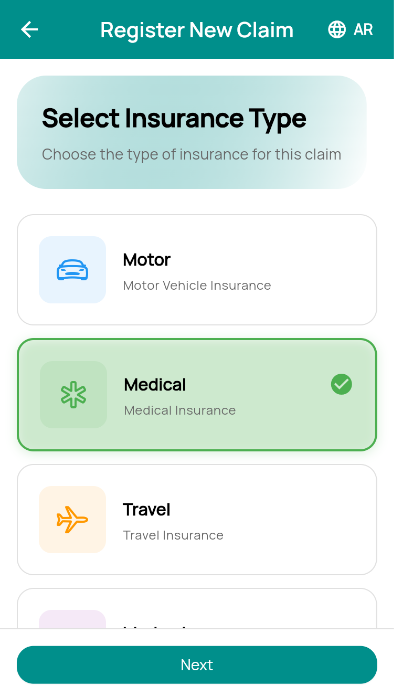
Choose the insurance line the claim belongs to — Motor, Medical, Travel or Medical Malpractice — to route the request into the right workflow.
3
Medical claim registration
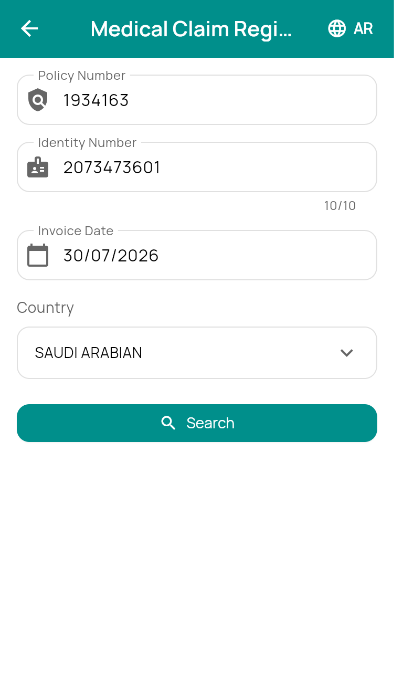
Enter the Policy Number, Identity Number, Invoice Date and Country, then search to pull the matching policy and member.
4
Doctor & policy details
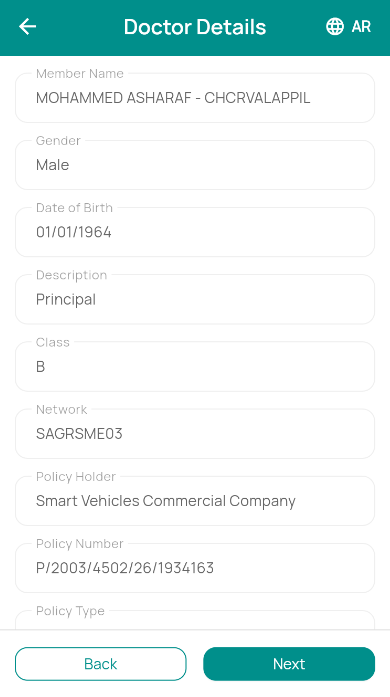
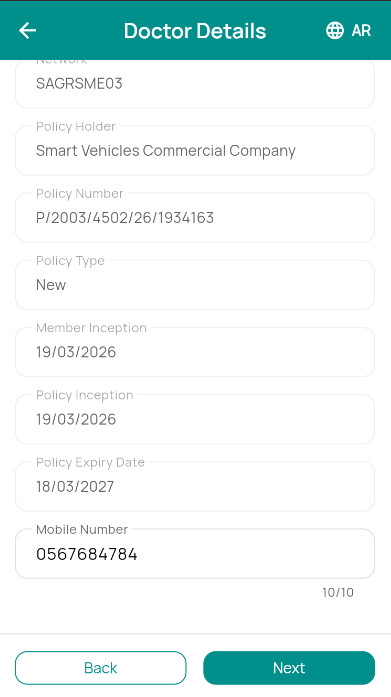
Member name, gender, date of birth, class and network are fetched automatically alongside policy holder, policy number, type, inception and expiry dates.
5
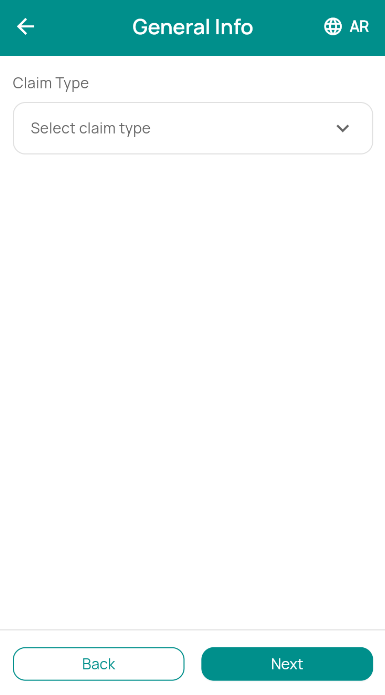
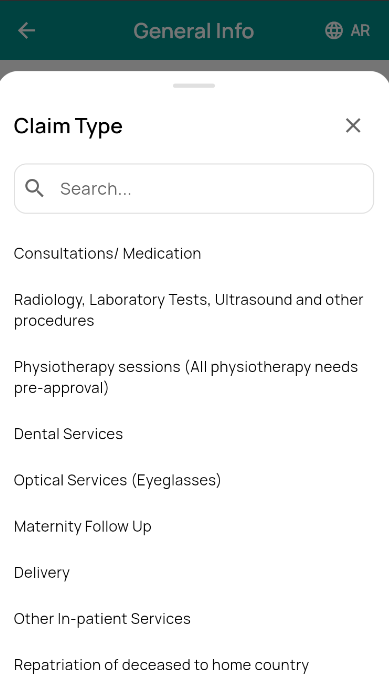
Claim type
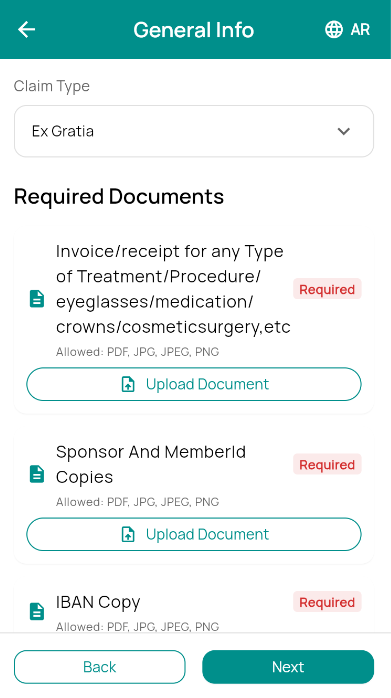
A searchable picker covers Consultations/Medication, Radiology & Lab Tests, Physiotherapy, Dental, Optical, Maternity Follow-up, Delivery, In-patient Services, Repatriation and Ex Gratia requests.
6
Required documents
Upload the invoice or receipt for the treatment/procedure, Sponsor and Member ID copies, and an IBAN copy — each marked Required with accepted file types shown inline.
7
Reimbursement payment details
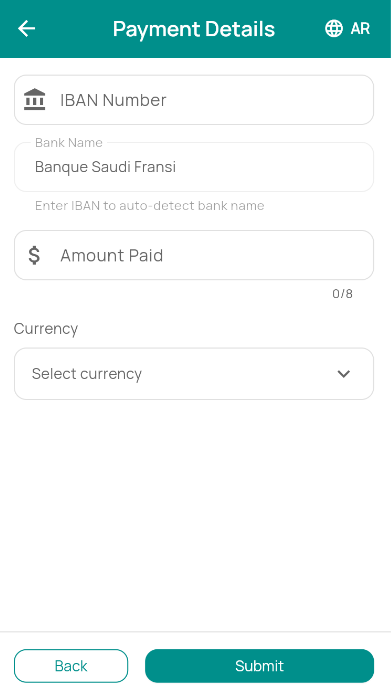
Enter the IBAN Number — the bank name auto-detects — along with the Amount Paid and currency, then submit for reimbursement.
8
Claim submitted
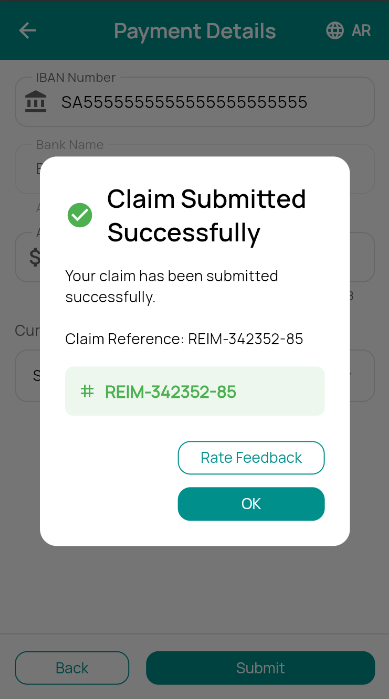
A confirmation screen returns a unique claim reference number for tracking, with an optional prompt to rate the experience.